Sunday, 17 February, 2008

Defining social media & web2.0

Defining Social Media & Web2.0

The diagram (click it for a readable version) above is one I put together a while ago to try and explain what I think the terms social media and web2.0 actually mean, and how the two relate to one another. They are often used interchangably, but I don’t think that it necessarily is the case that they are synonymous.

Social media for me is media made social. That might be obvious, but you have to think what you mean by media. Text is media, photos are media, video is media. Maybe a web bookmarkcan be media, and a presentation file too. How we make that media social is by making it commentable, sharable, editable, embdeddable. By allowing others to interact with the media, we have made it social.

Web2.0, for me, is the means by which we make our media social. The blog make text social, as do wikis. Flickr makes photos social, YouTube does the same for video, and so on. The infrastructure used to enable this is stuff like tagging, RSS, AJAX, mashups and widgets.

I think just about every web2.0 service can be described in this way: Google Docs is word processing and spreadsheets made social, for example. The interesting bit is when it all works well, and that’s the ovallybit in the middle of my diagram – enhanced communication and collaborative, which at its zenith becomes community.

How do you define web2.0 and social media? Does it fit in with mydiagram? Feel free to borrow it, edit it and reuse it.

PermalinkDefining social media & web2.0

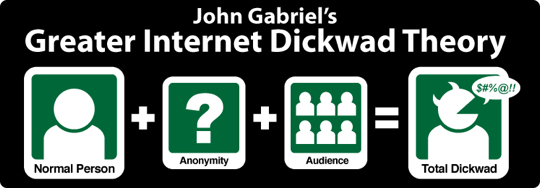
Anonymity part 3

John Naughton:

…the Guardian has a policy of allowing people to post comments anonymously, which IMHO is a good way of encouraging people to behave badly, because they don’t have to take responsibility for their views. I’ve always thought that was a bad decision.

Hear, hear.

PermalinkAnonymity part 3

Planning trips, 2.0

We’re off for a trip next week, to Cornwall for a few days. There may well be some light blogging ahead. Anyway, we are trying to cram in as much stuff as we can, and make the best use of our membership of both English Heritage and the National Trust.

(It’s always done my head in that there needs to be two different organisations to manage heritage properties in the UK, but I am sure there is a good reason for it. Probably.)

Anyway, there are a number of things that are quite important to consider when planning what we are seeing when, for example: the distance between places, the distance back to where we are staying, how long each journey will take, how long we might want to stay in one place for.To get this done, we had to:

  • Look in the two different handbooks to see what places we might like to visit
  • Check the map to see if they were near each other
  • Use Google Maps to work out distances and times
  • Record it all on a spreadsheet

This is a pain in the arse. Fair enough, you don’t want to plan these things too much, else it stops being fun, but some idea of an itinerary is probably a good thing if you want to make the best use of your time.

I did think, though, that it would be easier if we had a Google Maps mashup, linked to a database containing the postcodes of EH, NT and other touristy type attractions, where you could build a route for each day, maybe the system could even suggest stuff that’s close by.

I’m sure this wouldn’t be so hard to do, if you had the information available. As David Wilcox reported, EH are starting to do stuff in the social networking space, albeit focusing on volunteers etc rather than visitors (I think). Having quickly Googled, I couldn’t find any kind of online community for people interested in these kinds of places, not even a forum. OK, so I didn’t look very hard, but this is pretty surprising.

There’s opportunities everywhere.

PermalinkPlanning trips, 2.0

Saturday, 16 February, 2008

Trust in Web 2.0

Danah Boyd writes a post about a rather worrying occurence: a friend who had their Google account taken away from them:

Earlier this week, an acquaintance of mine found himself trapped in a Kafka-esque nightmare, a nightmare that should make all of us stop and think. He wants to remain anonymous so let’s call him Bob. Bob was an early adopter of all things Google. His account was linked to all sorts of Google services. Gmail was the most important thing to him – he’d been using it for four years and all of his email (a.k.a. “his life”) was there. Bob also managed a large community in Orkut, used Google’s calendaring service, and had accounts on many of of their different properties.

Earlier this week, Bob received a notice that there was a spam problem in his Orkut community. The message was in English and it looked legitimate and so he clicked on it. He didn’t realize that he’d fallen into a phisher’s net until it was too late. His account was hijacked for god-knows-what-purposes until his account was blocked and deleted. He contacted Google’s customer service and their response basically boiled down to “that sucks, we can’t restore anything, sign up for a new account.” Boom! No more email, no more calendar, no more Orkut, no more gChat history, no more Blogger, no more anything connected to his Google account.

Maybe no-one should rely on just one company to do everything for them. I really only rely on Google for my email, but even if just that disappeared, I’d be seriously pissed off. Again, this is one of the anti-web2.0 arguments: relying on these third party services is all well and good, but what happens when something goes wrong? How can we trust these people with our data, our information, our identities?

This week saw some outage on Amazon’s S3 and EC3 services. Many people might think of Amazon as just a supplier of books and CDs, and a whole lot of other stuff. But they also offer services for people who run websites, hosting and that sort of thing. It’s used by an awful lot of Web 2.0 startups, because it means they don’t have to even buy a server to start a company – let Amazon handle the headaches for a monthly fee.

But when this giant back-end, if you’ll excuse the unpleasant image, goes down, what’s left? For those of us that are trying to sell the web 2.0 and social media dream, what’s left is potentially a face covered in egg. We need to have confidence that the ideas and approaches we want people to take up are going to work 99.999999r% of the time. Especially when we are talking government, and public services, where stuff really has to work (though to be fair it often doesn’t).

PermalinkTrust in Web 2.0

William Shaw on Scientology

William Shaw is a great writer, and a great guy. He’s written a number of non-fiction titles, mainly on counter-cultural issues and is now doing some exciting stuff with social media, looking into stuff like uses the blog format to publish short non-fiction stories on UnMadeUp, posting stories around different parts of Brighton, and the almost uncategorisable 217 Babel. I’m hoping to do an interruption chat with him soon. He’s also a regular on Palimpsest, so he must have something about him.

Anyway, William has written a great piece for the Sunday Telegraph on Scientology:

It can never be said that Tom Cruise lives a normal life, but you don’t get to be Forbes magazine’s ‘world’s most powerful celebrity’ by being a lunatic. The list of fellow celebrity Scientologists is a long one: Kirstie Alley, Chick Corea, Beck, Jenna Elfman, Juliette Lewis, Lisa Marie Presley, Jason Lee, Giovanni Ribisi, John Travolta and his wife, Kelly Preston, are, or have been in recent times. Will Smith almost was. Jerry Seinfeld toyed with it. Celebrities or not, these are not weak-minded people. They are all successful at what they do. So, we wonder, what on earth are they doing in Scientology?

One answer is simple enough. To put it bluntly, Scientology really, really likes famous people. Cynics point out that there is a reason for this. From the early days of Scientology, L. Ron Hubbard set out to attract the famous to his new religion. Tom Wolfe once defined a cult as ‘a religion with no political power’; L. Ron Hubbard appears to have believed that Scientology needed something a lot more potent than political power. In 1955 he launched something he called Project Celebrity, listing 63 famous people he wanted to interest in his ‘science of the mind’. It was a catholic selection that included Ernest Hemingway, Danny Kaye, Orson Welles, Liberace, Bing Crosby, Pablo Picasso and Walt Disney.

‘These celebrities are well-guarded, well-barricaded, over-worked, aloof quarry. If you bring one of them home you will get a small plaque as your reward,’ Hubbard wrote to his followers.

Great stuff.

PermalinkWilliam Shaw on Scientology

Friday, 15 February, 2008

The value of online communities

Jeremiah Owyang posts about a report he has written for Forrester. The executive summary is all we really need:

To host a successful community, think of it as you would product development: Start by focusing on objectives, chart a road map, assemble the right team, and plan to be flexible. Then build your success by launching the community with the backing of your most enthusiastic customers and staying engaged as the community grows. Above all, remember that control is in the hands of the members, so put their needs first, build trust, and become an active part of the community.

Good stuff. Jeremiah’s focus is in the use companies can make of communities in order to sell stuff. But the principles can easily be applied to public sector organisations that provide services to the wider community. Get those with an active interest in the same (online) space and make them feel involved and useful.

PermalinkThe value of online communities

8 tips for beginner bloggers

I have been thinking quite a bit recently about what people need to do before they start a blog. I know that one should say that blogging doesn’t necessarily suit everybody, but, to be honest, if there is novel in every person then there should be a blog too.

So, if you are thinking about starting a blog for yourself, here some stuff you might want to consider first. Warning: this is a huge post.

1. Why blog?

What exactly is the purpose of your blog? It doesn’t have to be anything profound, but it might be a good idea to have a sense of purpose. Is there, for example, a particular niche that you want to cover? Are you blogging for you, or your organisation? The answer to these questions will inform a lot of the issues discussed later on in this post.

If you want lots of people to read your blog, it’s best to find a fairly specific subject to write about. Something that marks you out a bit from the crowd. Personal, journal-type blogs are nice, and can be interesting, but unless people know you, why are they going to read it?

Pick a topic you’re interested in, whether technology, or Web2.0 or something to do with your line of work. It doesn’t even have to be a topic you know a lot about – blogs where the blogger learns about stuff as they go long can be cool too.

But when you start out, why not try out a few different topics? Widen your scope to start with, to find out which you like writing about the most. That way, you won’t annoy the people who subscribed to a blog about web based office applications only for it to change to being about toilet paper manufacturing after a month.

2. Read more blogs

The great thing about blogs is that they produce RSS feeds. And the great thing about RSS feeds is that they mean you don’t have to visit every web site you want to read. Some people are subscribed to hundreds, maybe even thousands of blogs – and to bookmark and visit those sites would become a nightmare. RSS feeds mean you don’t have to – you just subscribe to the site and every time it’s updated, the new material gets sent to your reader application (also known as an aggregator) automatically. And it’s not just blogs that produce these feeds – many news and other sites do too. Soon you’ll find yourself spending as much time in your reader as your browser!

There are two main routes to go down when it comes to a feed reader, either desktop based, where you download some software onto your machine, or browser based, where you visit a web site which displays your feed within your web browser. If you only read feeds on one machine, then it might be an idea to use a desktop app. If you travel around and use lots of different computers then the flexibility of a browser-based option might suit. Personally, as a Mac user, I use NetNewsWire, a desktop application which can synchronise with the NewsGator online service, so I get the best of both worlds. Other online options include Google Reader and Bloglines. These have the advantage of not requiring any software to be downloaded, so you might be able to get away with using them at work.

How you arrange your feeds is another thing to think about. Me, I just line them all up in one big list. But you can generally put them into folders or tag them so you can group similar feeds together. Another way of viewing feeds is as a ‘river of news’ – with all the entries in chronological order on one screen that you scroll through. I like this style because your attention is grabbed by content, not by who you might be reading, so some interesting stuff gets thrown up that you might otherwise miss. You can get a very good version of a river of news using Google Reader.

Which feeds should be subscribe to? All of them! Seriously, the key to this is not to be selective in the feeds you subscribe to. You never know when something really interesting might pop up on them. As to where to start looking, Technorati is a good place to start – have a look at the top 100 list or the top favourited list and subscribe to those feeds you think might be interesting. Not because they are popular, or well regarded (though that is important) but because these guys often generate a lot of links out of their blogs to other people’s, giving you yet more feeds to check out. Some bloggers have link blogs (like Scoble), or updates from their del.icio.us accounts (like Steve Rubel), providing yet more tidbits. Also subscribe to sites like TechMeme and Digg to spot bigger stories as they come over the horizon. Twitter is a good source of interesting blogs too, when your contacts post stuff they have spotted online.

You can’t read every word of every feed, so don’t. Instead, scan, scan, scan. This is why a ‘river of news’ view is cool when reading through feeds. Flip though them all, don’t read every word, just look out for the things that interest you. Most readers have a method of marking posts for later review, whether by chucking them into a news bin or marking them with a tag or star. That way you can go back to them for further reflection and to pick bits out to quote in your own posts.

These days it’s not just text based blog posts that can be delivered to you through RSS though. Podcasts are audio files, usually in .mp3 format, which you can download and listen to, whether at your computer or through your .mp3 player. You have to be more selective with these, as, unlike blogs, you can’t scan them! Subscribe to the blogs first, then, when you find you trust the author/s, start downloading the podcasts too.

There are essentially 3 things to do to read more blogs: a) choose a system you are comfortable with; b) subscribe to everything in sight; c) scan first, don’t read.

3. Choose your platform

The system you use to blog with is important, because if you blog often, you’ll be spending a lot of time in there. There are many blog engines out there, online services which act as content management systems, theoretically allowing you to concentrate on the content while the engine does all the hard work for you. Some of the more famous and popular ones are Blogger, WordPress, TypePad, Drupal, TextPattern and many more. I use WordPress, it is to my mind the best platform there is, in terms of features and ease of use. Most services offer a free version, whether only as a trial or forever so it’s worth playing around with them. Many also offer the ability to import the posts you have made in one system into another, so you can carry your experiments around with you.

It’s also a good idea to decide whether you want to host your own blog, or let someone else do it for you. The difference is basically one of time and effort. For example, if you go down the hosted route, there is no installing of possibly complicated software, no web hosting costs, no domain name renewals and so on. But if you did host your own blog, you would get the chance to customise your blog engine’s installation, using plug-ins and other third party extensions, you could completely redesign your site’s look or use one of thousands of available templates. You could also implement an advertising programme to try and earn some money back on your investment. Using a hosted service also often means you can’t have your own snappy URL, and it might be the case that your chosen address for your blog is no longer available, which can be very annoying!

It is probably fair to say that the best option for the beginner is to try out a hosted service, like Blogger, WordPress.com or TypePad. Then, when your blogging really takes off you can consider having a domain of your own and can start to experiment with your chosen blog engine.

All the main blog engines come with an editor built in. These are webpages you visit to either enter new posts or to edit existing ones. It means that you can do it wherever you are and you don’t have to bother installing new software.

But sometime that just isn’t enough. There are a whole heap of blog editors out there – effectively stripped-down, blog-enabled word processors, which sit on your machine like any other application and which allow you to type at your leisure – maybe at a laptop without an always-on internet connection. It means you can save posts and mull over them before you send them to your blog. And you can generally do that by just hitting a button. No copying-and-pasting required. They can also do other cool stuff, like uploading images for you, or adding tags to your posts, or presenting you with a preview of what your post will look like online. It’s worth giving these a go: try Windows Live Writer or BlogJet a go on Windows, or Ecto or MarsEdit on the Mac.

4. Link, link and comment

Linking makes your blog grow in popularity. There are three reasons for this. One, it makes your blog posts more useful if they provide links to what you are talking about, rather than making people hunt stuff out themselves. Second, the people you are linking to will realise you are talking about them and come and check you out. Thirdly, doing plenty of linking will do your search engine profile no harm at all.

Links really are what drives the blogosphere. If you get linked to by one of the big boys, like a Scoble, then you’ll find your traffic goes through the roof. It will also give you a boost in the search engines. So if you are generous with your links, giving people credit where it’s due, providing readers with plenty of extra reading material, it’s got to be a good thing.

Sometimes, links to your blog can mean disaster. I’m talking about a link from a site like Digg, or Slashdot. Both these sites have an eponymous ‘effect’ that can spank your site’s bandwidth and possibly bring your blog down. This might not be a problem if you have a hosted blog, but if you pay for your hosting like I do, you could end up with a big bill! That this has never happened to me is testament to my policy of writing deliberately uninteresting and non-linkworthy posts.

What if you have seen an interesting story but don’t have much to add? There are two ways of dealing with these. One is to set up an account at del.icio.us – where you can bookmark pages for further reading. You can then set up a daily posting, so that your links appear in a bulleted list in a single post every day, thus making the stuff you are reading available to your readers too. The other method would be to create a link blog, a separate blog where you dump either full text or stripped down versions of the posts you read.

I prefer the del.icio.us method.

Another way of providing links is through tagging. You’ll notice that a lot of posts on many blogs have tags, links at the bottom of each post that send you back to Technorati, a blog search engine, to look up a certain key word. These are a great way to get traffic as anyone who searches Techorati for those keywords will come across a link to your blog. Other blogs have an internal tagging system, like this one, which works in a similar way.

Comments are important. You really ought allow them on your blog to let people give you feedback or start a conversation. Receiving comments on your blog are a great sign that people are taking notice of what you are writing. Treasure the comments people leave – and always do the courtesy of responding, even if it is just with a ‘thanks!’.

When you link to someone else’s post, why not leave a comment there while you are at it, linking to your blog or even the specific post where you mention it? It’s a good way to get some more traffic. But only do it when you actually have something to say, otherwise you are effectively spamming people’s comments. That’s bad.

You can subscribe to comment feeds with most good blog engines (well, I know WordPress allows it). This can be a great way of tracking conversations you are interested in. You can use services like CoComment as well to track your comments around the blogosphere. Some blogs offer the ability to have email alerts when people respond to a comment you’ve made – again, I have this function on this site. Not only is it useful for readers, but it also produces some interesting stats!

Links and comments make the blogosphere go round. Make sure you’re fully engaged with them.

5. Keep notes

Writing blog posts that are interesting and well-informed isn’t easy. Sitting down in front of your blog editor waiting for an idea to come is pretty hard. Ideas for posts, though, can hit you at any time. So you need to be ready, with a system for taking notes that you’re comfortable with.

While you are browsing the web, or reading through your RSS subscriptions, you’ll often come across posts you like and want to have another look at later, or maybe just save a quote from it and the link back to the post. I used to keep a copy of a text editor (like Notepad on Windows) open all the time to copy snippets into. This is still a pretty good system, but there are far easier ways of doing it.

Google Notebook is great for storing post ideas. You can select text on a web page and then insert it automatically into a notebook entry – no need for copying and pasting. You can have several notebooks (I have one specifically for this blog, for example) and divide them up with headings. It’s possible to turn them into pseudo-wikis too, by inviting friends to edit them and making them public as web pages.

Similar ways of storing notes like Notebook are the other free wikis that are available, like WikiSpaces, BackPack, PBwiki or Stikipad. I use WikiSpaces myself for various things and it’s a great, simple solution for those that are new to the world of wikis.

Your news reader will probably provide a clipping, sharing or news bin type feature, where you can store or mark posts for future reference. You could also post interesting tidbits to your del.icio.us account.

The advantage of these solutions, being web based, is that they are accessible from anywhere. But if you would prefer a system saved on your own computer, or a USB key, say, then you don’t have to stick with the text file option. TiddlyWiki provides a full wiki experience inside a singe HTML file you can run on your PC without being connected to the web. It’s worth mentioning here, though wildly off topic, the GTDTiddlyWiki for fans of Getting Things Done, which is great.

Of course, you can always just write things down. Get a nice notebook, like a Moleskeine maybe. Or just fold a sheet of A4 into quarters and use the different sections for organising your notes. I use my Moleskeine all the time for jotting down ideas for posts – as much as I love the web, lo-tech is just as effective sometimes.

So it’s really important to have a system you like for holding onto posts and information you’d like to use later. Part of the joy of RSS is the fact that you can access so much more information than before – but keeping a handle on it becomes harder. Fortunately the tools are out there to help you. So try them out and stick with the one that works for you. Your blogging will become much easier, and the ideas will flow!

6. Presentation matters

Before we get onto the subject of blog design, I think a decent standard of writing is vital. It doesn’t have to be brilliant, just competent. I’m basically talking spelling and grammar here. There is nothing worse than reading blogs full of weird spellings, txt spk, un-punctuated sentences and, my personal number one bugbear, errant apostrophe’s. So check your words before you write them. It makes you look more professional, and like you care more, as much as anything else.See if you can include some graphics or images to accompany your text to enliven the appearance of your posts. I’m pretty useless at this, generally speaking, though I do try. The one thing I do do, though, is try and grab logos and things from other sites to use to brighten things up when I am writing about them.

How your blog looks is important. Don’t believe people when they claim otherwise. Often the argument goes that as people are going to be reading you through your feed anyway, what does it matter? The answer to this, of course, is that people have to visit your site before they can subscribe, and if it is some multi-coloured nightmare with scrolling text and other horrible c1997 type stuff, they aren’t going to be subscribing to anything. Here’s a quick list of stuff you might want to bear in mind:

  • Make sure your site is reasonably standards-compliant so that as many people as possible can read it. Check it with the w3.org validator
  • Ensure that the site won’t take too long to load – so not too many fancy graphics!
  • Try to keep things clean and simple – ensuring that your navigation is obviously separate from content, otherwise people will be confused
  • Let us know who you are: let’s have a photo and some contact details on the blog home page
  • Don’t have a gigantic blogroll on your index, which makes the page go on and on and on. Have a separate page for links if you have thousands and are desperate to show them off
  • Make it clear where people can subscribe to your blog – a little orange (or even a big blue) RSS icon never goes amiss!

The other issue is what your blog system allows you to do to tart up your blog to add a little extra content which might well enrich your readers’ experience. Why not consider:

  • A list of recent posts towards the top of the page
  • A recent comments list
  • A Flickr badge showing the latest photos you have uploaded
  • An update from del.icio.us on the latest sites you have bookmarked
  • Clickable icons for readers to subscribe with their aggregator of choice
  • Nice touches like MyBlogLog communities so people can see who else reads you
  • Links to your presence of other social networks like LinkedIn, Twitter, Facebook etc

There really are tonnes of options to have a look at – check out what your blog engine will let you do. This can be an area where having your own, self-hosted blog can help, as it gives you far more flexibility in designing your blog and sticking cool stuff on it.

7. Stick at it

No-one’s leaving comments. No-one is trackbacking to your posts. You don’t register until the 300th page on a Google on your name. Welcome to my world!

But don’t give up. Think about why you started your blog. Was it for fame and adulation? Yes.

Was it to get an enormous Google PageRank? Yes.

Oh. Well, that isn’t going to happen, at least for a long, long time, or until you get a job at Microsoft or Google. Instead, focus on the smaller positives. Maintaining a blog keeps you in touch with friends and family who might read it. And if you only have a small number of readers, well, you owe it to them to keep going. Plus, your blog posts are improving your skills as a writer, which has to be a good thing. But most of all, you are taking part in a collaborative project, the blogosphere, which is on a quite remarkable scale. Someone, somewhere, is listening.

8. Further Reading

Not really tips from me, but the eighth item is a list of cool posts about getting your blog off to a good start.

Permalink8 tips for beginner bloggers

Thursday, 14 February, 2008

Government offline

The Economist has published an interesting article on “Why business succeeds on the web and government mostly fails”:

Why is government unable to reap the same benefits as business, which uses technology to lower costs, please customers and raise profits? The three main reasons are lack of competitive pressure, a tendency to reinvent the wheel and a focus on technology rather than organisation.

That reflects another problem. In the private sector, tight budgets for information technology spark innovation. But bureaucrats are suckers for overpriced, overpromised and overengineered systems. The contrast is all the sharper given some of the successes shown by those using open-source software: the District of Columbia, for example, has junked its servers and proprietary software in favour of the standard package of applications offered and hosted by Google.

Hmmm. Thanks to John Naughton for the tip.

PermalinkGovernment offline

the interruption

the interruption
I’ve started a podcast!

the interruption is going to be a weekly chat between me and someone doing something exciting in social media and web 2.0 in the UK. The first episode is a discussion with Paul Johnston of Cisco, who is behind a new web community called The Connected Republic.

Paul talks about the aims and objectives of the community, the technology behind it, how people are engaging with the platform and what some of the lessons he has learned are.

I am a real learner when it comes to this stuff, and am still finding my way around Garageband, the software that came on my Macbook which I am using to produce the podcast. So things might be a bit ropey to begin with, but am sure I will be into the swing of things soon.

Please visit the site and listen to the podcast, and subscribe to the RSS feed.

Also, if you’d like to be involved in an interruption chat, just get in touch.

Permalinkthe interruption

Wednesday, 13 February, 2008

Tuesday, 12 February, 2008

links for 2008-02-12

Permalinklinks for 2008-02-12

On facilitation

Had a great meeting today with two of my fellow facilitators at the Community of Practice for Knowledge Management in the Public Sector (don’t worry, we’re working on the name). The community has been running for a little while now and has had two successful real-life meetings. For some reason though, the connections haven’t continued online, and the web based CoP has been very slow.

This brings to the fore the very important issue of facilitation of online communities – whether social networks, collaborative environments like the CoPs, simple forums, blogs or wikis. Facilitation differs very much from the traditional online role of the moderator, which to my mind concentrates on the negatives like deleting nasty content and banning naughty users. Facilitators seek to engage people with the platform, using a number of techniques that can be both hi and lo-tech.

No discussion of communities and facilitation can go by without these two masterful posts from Ed Mitchell on the topics. Must-read stuff, as well as a great example of the quality writing that exists in the blogosphere.

Many of the objections to using social media and web 2.0 technology can be countered by having an effective facilitation strategy, backed up by having people in the facilitation role who know what they are doing. Stuff like lack of engagement, sites looking empty, failing to follow up on conversations etc.

Here’s some of the stuff I think facilitators oughtt be doing:

Firstly, the facilitator must encourage discussion on the platform. This can be through seeding discussion by adding background content and then asking a question to try and spark a conversation, for example.

Second, back-channels should be used to ensure the conversation is maintained. For instance, if someone you know who is very knowledgeable about a topic that is being discussed, but isn’t presently engaged in that discussion, then the facilitator should drop them an email or telephone call to get them involved.

Thirdly, the facilitator should be a guide to the platform being used – helping users find the most appropriate way of posting their content. This is especially true of a platform like that I was discussing today, where forums, blogs, wikis and document sharing are all possible, and only really the first and last on that list get used – I’m sure just because folk are used to them and not to some of the newer tools.

Fourth, get people meeting face to face. Facilitation is not just about the online, the offline is just as vital. Social networks are great for bringing people together and getting them to work together, but there is a definite trust element that’s missing until people actually get to meet each other. Facilitators need to be as comfortable introducing people to people face-to-face as they are online. It also helps to always have stuff like coloured post-it notes, sticky dots, glue sticks and magic markers to hand.

Fifth, figure out ways of using the technology to help people get the information they want. For example, hotseating is cool thing to do: find a person who is rather knowledgeable about a subject, get them to write a blog post about it, and then invite people to ask them questions in the comments. Make it a time limited thing, so there is some sense of urgency, and you’re away. Or here’s another: set the community a blogging challenge, where every member has to write a blog post along a common theme, maybe with a suitable prize for the best one. It’s a good way of generating content and getting people used to using the tools.

So there’s five, and I’m sure there are tonnes more.

Anyone?

PermalinkOn facilitation

Monday, 11 February, 2008

links for 2008-02-11

Permalinklinks for 2008-02-11

On the Social Media Release

One of the many areas of communications which can be improved by using social media services is the press release. Indeed, there are a number of sites dedicated to creating a ‘social media release’, including a group blog and a wiki.

Brian Solis recently put together a really useful post: “The Definitive Guide to Social Media Releases” which contains tonnes of information about the whys and wherefores of this development of a traditional communication tool.

Obviously a Social Media Release needs to feature Social Media ingredients, which includes links to bookmarking networks, contextual tags, the ability to track and host conversations, and also discover them within social networks. The inclusion of new features to simply make a fancy, shiny, new whiz bang press release doesn’t necessarily cut it.

So, what socializes a release?

A Social Media Release should contain everything necessary to share and discover a story in a way that is complementary to your original intent; but, the difference is, how they find it and the tools they use to share and broadcast.

This begs the question: what is a social media release? Well, it is an online interactive document that puts out a message in such a way that it is conversational, using online tools to enable people to add to the discussion as well as just read the message.

Todd Defren has identified four key features of what a social media release does that a traditional one doesn’t:

  1. Ensure accuracy
  2. Embrace context
  3. Build community
  4. Be findable

In other words, a social media release puts you in control of what’s being said about your release by ensuring your content is a part of the conversation around it.

How can this be achieved? By putting together an electronic press release that incorporates social media services which can have a useful and viral effect on the story you are telling. So, photos on the release are posted and linked back to Flickr, you can embed videos hosted at YouTube, related stories can be saved on del.icio.us – and all of these linked together through a common tag. This tag can then be used to locate and present feedback on the release, so people can find out what is being said without having to look for it. Use links to enable people to share the release on Digg, Reddit , StumbleUpon and other sites to help spread the word.

What does one look like? Try this example from Ford, thy are using Flickr, YouTube, a growing list of related blog posts and the ubiquitous buttons to share the release on various social bookmarking sites. Or there is Cisco’s effort, which includes a YouTube group, del.icio.us and Digg and even Second Life (thanks to Shel Holtz for both of these examples). Shift Communications have a PDF template that you can adapt.

One point that is worth making is that (for now at least) the social media release does not replace the traditional press release. Instead, it offers an alternative for those that are actively engaged in this space. It also provides a richer experience for those that use it, and so in time people will begin to prefer it as they see its advantages. So, it offers an additional service rather than a replacement, and given the low costs and barriers to entry when it comes to this stuff, it really won’t cost you a great deal more to do – and if it engages just a few more people with your message, then surely it’s worth it?

PermalinkOn the Social Media Release

I’m an ENTP!

At work we are having our personalities dissected through the wonder of Myers-Briggs. It’s a way of finding out how your personality affects the way you work, and how you interact with others. Hmmm.

Anyway, it turns out that I am an ENTP, that is to say an Extroverted iNtuitive Thinking Perceiving type person. According to Wikipedia, this means I am:

ENTPs are frequently described as clever, cerebrally and verbally quick, enthusiastic, outgoing, innovative, and resourceful. ENTPs are motivated by a desire to understand the world they live in, and improve it. They are usually very accurate when sizing up a situation. They may have a perverse sense of humor [cool!] and sometimes play devil’s advocate, which can create misunderstandings with friends, coworkers, and family. However, ENTP’s are quite ingenious and are quite adept at directing relationships between means and ends. More so than other types, ENTPs can “think outside the box” and come up with fresh, unexpected solutions to difficult problems. However, they are less interested in generating detailed plans or following through than in generating ideas and possibilities. However, when the ENTP is used correctly on a team, they offer an incredible depth of understanding and a high degree of flexibility and problem solving ability. The ENTP regards a comment like “it can’t be done” as a personal challenge, and will spare no expense to discover a solution once properly motivated.

Interesting!

PermalinkI’m an ENTP!