Tips for running a LinkedIn group

linkedin-logoI’ve just started a LinkedIn group on the topic of digital skills in the workplace. You are very welcome to join.

I have to admit – I’ve not done much with LinkedIn groups before, and while much of it is pretty intuitive to anyone who has used similar features on other networks, I’ve had to learn a fair bit too.

Here’s some handy hints that might save you some bother if you have a go at setting up your own LinkedIn group in the future.

Sharing files

You can’t post documents – so you need to upload to Dropbox, Box or SkyDrive and link to them.

Likewise, if you want to collaborate on a document, you’ll need to use Google Doc or something similar.

You can only send one announcement email a week

So make it a good one – perhaps summarising the last 7 days activity and getting people excited about what’s to come. This is also a good way of bringing discussions to people’s attention that might otherwise have got lost in the flow of the group.

Be careful who you let in

There are armies of people who seem to attempt to join every single LinkedIn grow going for no apparent reason. My advice is to make your group invite only, and if you don’t recognise someone who applies to join, have a quick look at their profile.

If it isn’t immediately obvious why they would have an interest in your group, you can either just ignore them, or if you are feeling nice, ping them a message asking why they want to join your group.

Build a sense of exclusivity

Linked to the above, because there are a lot of groups on LinkedIn, you need to make yours stand out a bit. I did this by making my group a closed one, that you can only access if you are a member.

Practice in private

Have a private group that only you know about so that you can practice how the features work with minimal embarrassment. Not everything in LinkedIn works the way you’d expect it to, so having a sandbox you can play around in is a good idea!

Curate the stream

LinkedIn groups are effectively streams of content. It does some work for you in listing stuff on the main page in order of relevance and interest. However, bits will get lost unless you do some curation.

As mentioned above, one way of doing this is to use the weekly email announcement feature. However, I think it is probably worth having somewhere separate where the really good stuff can be listed on a web page somewhere – particularly for new members who need to catch up.

Edit the email templates

A key thing to do to make the community welcoming and a bit more personal is to edit the messages that get sent out to prospective members when they first apply to join.

A few of the groups I am a member of don’t do this, and it does make you feel like the group isn’t particularly actively managed or facilitated, so it can be off putting.

Remember – this is about community management

So even though the medium we are using is LinkedIn, everything else still applies – welcome new members, reply to people’s posts, seed conversations, promote the group in other channels, and so on. Go read Feverbee, and do what it tells you.

Have you any further tips for running a successful LinkedIn group?

Fail better

BECKETTAs Samuel Beckett wrote, in Worstward Ho:

Ever tried. Ever failed. No matter. Try again. Fail again. Fail better.

Acknowledging the fact that we surely don’t really want our project to fail, what does failing better actually mean?

It’s surely about openness – in other words, admitting that things didn’t go to plan, and having a frank discussion about what went wrong – so that everyone can learn from it and ensure it doesn’t happen again.

Often projects that don’t quite succeed are brushed under the carpet and never mentioned again, or worse, spun to pretend that everything was hunky dory.

Here’s a lovely example of openness around failure from Chris Poole, the legendary moot of 4chan fame, discussing what went wrong with his company that made the Drawquest app:

With that said, life goes on, and the best path forward is not a wounded one, but a more learned and motivated one. I’m definitely not itching to start another company any time soon—it will take time to decompress and reflect on the events of the past four years—but I hope that if I do some day decide to pursue a new dream, I’ll be in a much better position to. After all, I did just receive a highly selective, four-year education for a mere $3.6 million dollars! (I find humor helps as well.)

So when reviewing a project which perhaps didn’t turn out as expected, rather than covering things up, or apportioning blame, try to fail a bit better. Identity what went wrong, and how it could have been avoided – and tell people about it.

How WordPress as a Platform helps nimble project delivery

wordpress-logoWordPress started as a blogging engine, then became a content management system, and these days is a platform for the development of simple web applications.

After all, an awful lot of applications are basically just about putting bits of text into boxes, and then arranging them in order to suit whatever your purpose is. Putting words into boxes is something WordPress is very good.

The bit of functionality within WordPress that enables this is the custom post type. You’re no longer limited to just blog style posts and static pages – you can create your own content types with their own taxonomies and as many different fields (boxes to put text in) as you like.

Here’s an example from a project I’m working on at the moment. It’s all about building up and managing a disparate community of people within a government department. I need to keep a record of all the members of this community, what they do, what interactions I have with them, whether they attend meetings and respond to surveys, etc etc.

The default position here would be to build an ever-growing spreadsheet in Excel, which would be increasingly difficult to manage and interrogate as it had more and more information added to it. I’ve done this in the past and it’s a nightmare.

Instead, of going down that route, I’ve spun up a quick WordPress instance and got he PauPress plugin installed and running. PauPress helps turn WordPress into a simple CRM (customer relationship management) system, which allows you to record details of contacts and your interactions with them.

Now, I would never dream of advocating the use of this as a corporate CRM solution for any critical purpose (it’s a bit clunky in places and I suspect with lots of data and users it could get pretty slow), but as a way of getting a simple, easy to use database up and running in minutes for a handful to people to be able to use, you really can’t beat it.

It’s a hack – a quick, cost effective and neat solution to a problem. It helps that WordPress is open source, with a huge developer community, which means that a simple Google search for “WordPress [what you want to do]” usually results in a few options to solve whatever problem you’re trying to solve.

What do you need to have in place for your organisation to be able to make the most of this stuff?

Obviously, somewhere to be able to quickly throw up new WordPress sites, and to install the necessary plugins to make this stuff happen. But also the skills and knowledge within your teams to be comfortable doing this and to advise others about making it all happen.

Linkydink and MVPs

LinkydinkLinkydink is a lovely little service that does one thing very well. It allows people to add links to a group and for a daily list of the links collected to be emailed out to subscribers.

It is run by Makeshift, a fantastic company in London that seems to churn out excellent little tools such as this.

You could produce something similar to Linkydink by stitching together various other tools. Perhaps people could used Pinboard and Delicious to save links with a shared tag, and then use the RSS feed from the tag to pre populate a Mailchimp email newsletter… but I’ve lost you already, haven’t I?

Another thing I like about Linkydink is the access anyone has to the roadmap for the service – so users can know where it is heading and what new features are going to be implemented next.

It’s a great example of running projects in an agile, lean fashion. In fact I came across Linkydink in an article on PandoDaily (which despite the odd title is probably the best of the technology and startup focused blogs at the moment), which described digital companies that started without a single line of code being written.

In the article it is explained how someone used Linkydink to test the idea for their startup – which was a subscriber list of links to … In the parlance of the lean startup, this is an MVP, a minimum viable product. It’s the simplest, quickest and cheapest way to get a product on the market so you can start testing it, building up a customer base, and so on.

Sometimes to test the viability of an idea, it’s best to just do it – as simply as possible – so you can get some real world data on whether or not it is going to fly. Linkydink definitely does that and hopefully it is popular enough for Makeshift to keep working on it.

Better blogging: separate writing and publishing?

I wonder if one way of helping the process of blogging is to separate the tools you use for writing and for publishing.

Here’s what I mean – when I use WordPress’ editor to compose a post from scratch, I am using the same software to write my content and to publish it.

I have nothing against the WordPress editor, by the way – it’s excellent. But I find that when I use it, I feel under a bit more pressure to get what I am writing finished, so I can hit that big publish button and be done with it.

Using a separate tool to compose the post, then transfer it to WordPress for publication makes the writing process a bit of a calmer affair.

I can still edit my content in the WordPress editor where I spot mistakes, or to add images, links and that sort of thing. The bulk of composition however, takes place in a different editor.

At the moment I mostly use Byword on the Mac and iOS for writing posts, which are then copied to WordPress.

What do you think? Am I talking nonsense – or do you also find that separating writing and publishing is helpful?

My current favourite toy

apple-ipad-mini-blackJust before Christmas, and as a bit of a Christmas treat for myself, I bought an iPad mini with retina display and 3g mobile broadband access (ie not the wifi only model). I love it.

Up til now my tablet of choice was a second generation Nexus 7, produced by Asus but sanctioned by Google as the best of breed Android tablet. That I found to be my favourite tablet device so far, better than the full size iPad. However, while I used the Nexus 7 fairly regularly as a device to quickly check emails or check something on the web, it never became a vital piece of kit for me.

Since I have had this iPad mini though, it has barely left my side. Why is that?

  1. The size – and weight is absolutely perfect for pretty much any task. It is finally an iPad that works as an e-reader in that I can hold in one handed without getting a wrist strain. The smaller screen size doesn’t really matter to me when the resolution is as good as the retina one is on this thing and pinching and zooming is fine when I need something to appear a little bigger.
  2. The apps – is still where the iPad wins against Android devices. Sure all the big ones are on both platforms (Twitter, Facebook etc etc) but it’s the iOS only ones which you may not have heard of where the iPad stomps all over the competition. I’ve not come across an Android editor that can beat Byword, or an RSS reader as good as Reeder 2 – just to name two examples.
  3. The 3G – as mentioned above, my iPad mini has mobile data access for when I am out of range of a wifi network. My Nexus 7 didn’t, and it’s a game changer. A tablet is basically of little use without the net, and being able to access it pretty much anywhere significantly enhances the usefulness of the device. By the way, here’s a tip from your Uncle Dave – make sure your phone and your tablet use a different carrier for mobile data. That way, if one has a shonky signal, the other one ought to be ok. Mine are Vodafone for my phone and 3 for the iPad and I’ve never been without signal on both.
  4. The keyboard cover – After a couple of weeks, I picked up a Logitech slim keyboard cover for the iPad, and it is great. This being a mini iPad, it’s a pretty mini keyboard, although after a couple of days with it I could type fairly quickly on it- and much quicker than I could using the on screen keyboard. An additional bonus is that using a hardware keyboard with the mini frees up some vital screen real estate. The case works beatifully, snapping shut with magnets to protect the screen, and also using a magnet to hold the screen at a helpful angle when typing. It does all this without adding much to the size and weight of the device, which is fantastic.

I should probably think of a fifth thing, but these four pretty much cover it. What tablet do you use, if any? Do you love it like I do this one?

Is technology killing books and reading?

A fairly interesting, if somewhat confused in places, piece in The Guardian a few days ago from the author Philip Hensher.

He starts by pointing out the rather glorious way that slightly niche publishing projects can get off the ground thanks to crowd funding websites such as Kickstarter, and also the way in which it’s now possible to buy and download electronic versions of a writer’s entire output for a couple of quid thanks to the ebook stores.

So far so sensible, but Hensher then goes on:

Ruth Rendell was commenting on one of the beneficiaries of the “long tail”, a once forgotten novel by John Williams, Stoner. Rendell suggested that it has become a huge success in 2013, compared with its small impact on publication in 1965, precisely because it celebrates the power of reading and the value of literature. In 1965 that was taken for granted. Now, Rendell suggested, reading has become a specialist activity, and Stoner is more “needful”.

He goes on to suggest a literary equivalent of the doctor’s recommendation of five-a-day, replacing fruit and veg with books – and hopefully a slightly longer timeframe.

I personally find that there are some works that I am perfectly happy to read on an electronic device, whether a Kindle e-reader or the app on my iPad (mini – the regular sized iPads are far to cumbersome to work well as a reading device).

There are other books, however, which I need to be on paper in front of me. I’ve recently been reading the letters of DH Lawrence – which I heartily recommend – and it would be a far poorer experience were I to be reading them on a screen rather than being able to thumb through the pages.

The sheer accessibility of literature now, thanks to the internet and resources such as Project Gutenberg, make it a fantastic time to be a reader. I suspect it is also a great time to be a writer, as the ebook market allows those authors who might never have got a book deal to find readers and perhaps make a living from their words.

As to whether the distractions of the internet are stopping people from reading… well, I dunno. I have a sneaking suspicion that those who do not want to read have always found something else that they would rather do; and those who love books will always find the time for them, no matter what is happening elsewhere, virtually or otherwise.

Congratulations Mary

mm
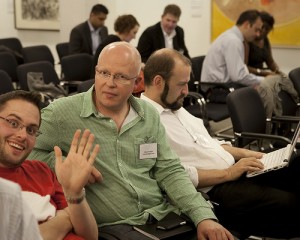
Photo credit – Paul Clarke

Some amazing news over the winter break for my friend and inspiration, Mary McKenna.

First she receives an MBE in the new year’s honours list, for services to Digital Technology, Innovation & Learning.

Then she announces her first new role since leaving Learning Pool, as CEO of Task Squad, a new startup social enterprise from vInspired. Task Squad is all about providing short-term flexible, paid work for 18-25 year olds – helping young people get a first foot on the career ladder.

It sounds like the sort of job that will suit Mary down to the ground.

Luckily it is only a part-time position, so she will have plenty of opportunities to get involved in other projects and schemes, and I’m hopeful that we’ll be collaborating again soon.

So, congrats to Mary for getting some real recognition for her work and achievements, and for continuing to explore how technology can help solve important social issues. If you want to keep up with her movements and thoughts, her blog is well worth subscribing to.