Monday, 21 July, 2008

Civil servants and the social web

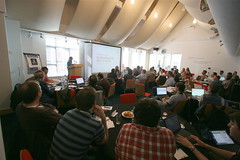
I spent an interesting morning last Friday at the Foreign and Commonwealth Office, attending a meeting of ‘civil servant bloggers’ – not many of whom, it turned out, actually blogged – to discuss the recent guidelines for online participation. It was organised through the Power of Information Taskforce.

I found it a peculiar experience, not really being sure of what the purpose of the workshop was, nor what would happen to the results, whatever they may have been.

The guidelines themselves are short and sweet, and whilst in many ways their brevity is a strength, they do (out of necessity) simplify an issue which is actually pretty complicated when you think about it. For instance, what do we actually mean when we talk about online participation? Also, how could civil servants participate online? There are several choices:

  • They can do so internally or externally
  • They can use social media to communicate or collaborate
  • They can use their own platform, or get involved with someone else’s
  • They can do so officially, or personally

I doubt whether the guidelines will encourage too many civil servants to start blogging, which is probably a good thing, if we are being honest. Most have neither the neither the time nor the inclination to start their own blogs, and it is a truth universally recognised that there is nothing worse than blogs that run out of steam, or enthusiasm.

Instead, I think there needs to be a focus on participating online in other people’s spaces. This is a quick, easy way for officials to engage without the need for the continuous content generation that comes with setting up a new platform. It’s also something that could develop over time:

  1. Listen to what’s being said – set up simple RSS feeds and subscribe to searches on key terms to monitor the online conversation
  2. Get involved – where appropriate, leave responses where they are required, or acknowledge and link to such conversations from the traditional web presence
  3. Create content – if it is necessary or useful, start a blog to provide a way of providing information and views that work better on a standalone site

To do this though, officials need the resources to be able to do it: time, skills and tools. The recent work at DIUS goes to show just what is possible when roles are created to focus on digital participation issues. Training is required to show civil servants how to do stuff – but it needs to be directly focused on what people in specific jobs need, whether press officers, policy officials, or whoever. Rather than training, ‘mentoring’ or ‘coaching’ is probably the better term for this. In terms of tools, people need to be able to access sites, whether blogs, forums or social networks, without having to request to IT to lift the block on each one. They also need up-to-date browsers which can handle Flash or AJAX type content, and which render pages properly. Far, far too many public institutions use IE6 as their most up to date browser – it isn’t good enough.

Ingrid was at the event too, and posted her thoughts here.

PermalinkCivil servants and the social web

Large female required

I was delighted to be a part of the winning pub quiz team at WordCampUK, not least because it meant that I won a wicked cool dark green WordPress tshirt. I asked the now-legendary quiz host Jon Bounds for a large, and a large was what I got.

Only, it’s in the ladies style, which makes it significantly smaller than me.

So, there is a free WP tshirt going spare to any suitably sized female who wants it. Let me know in the comments or by email. See the photo of Automattic dude Sam Bauers below, who is sporting the manly version.

Sam Bauers in Green WP T Shirt
Photo by Benjamin
PermalinkLarge female required

Sunday, 20 July, 2008

Telegraph switches to Google Apps

Been busy at WorkCampUK so haven’t been following my feeds that closely, but my eye was caught by a post written by Shane Richmond, Communities Editor of the Telegraph’s web presence:

I’ve been testing Google Apps within the Telegraph for the last few months so I’m delighted that we’re now switching over entirely. The speed, accessibility and flexibility of Google Mail, Google Calendar and Google Docs make them much better to work with than the programs we used before.

Interesting news. After all, if an august institution like the Telegraph can make such a move, why not any other organisation?

I do have a few issues with the Google Apps offering though. For a start, the version of iGoogle that comes as standard is a seriously crippled version which, amongst other things, only lets you have one page of stuff. Also, sharing forms using Google Spreadsheets doesn’t work for people without an account on the Google Apps domain. It also doesn’t make sense to me that Google Reader isn’t a part of the package too.

But just in terms of email, as someone who has used various versions of Microsoft Exchange and Outlook, Lotus Notes and other enterprise email systems, Gmail is better than any.

PermalinkTelegraph switches to Google Apps

Reflections on WordCampUK

WordCampUK (photo by Benjamin)

I am typing most of this on the train back from Birmingham, where I have been attending WordCampUK, a two day conference on all things to do with the greatest online publishing platform, like, ever. It was great to meet new folk, and friends too and as always, the value for me was in the conversations snatched over a cup of tea rather than the official sessions themselves.

Part of this was because WordCampUK was a curiously formal affair, with a proper agenda and with everyone attending all the same sessions, by and large. It was, I think it is fair to say, a lot more word than camp. One thing I couldn’t really understand was that there was a room available that wasn’t used at all, that would have been perfect as a breakout room for people to have off the cuff discussions and practical sessions.

I suppose it is a rather peculiar thing to try and form an event around a platform – the one thing we all had in common was the tool we use to get lots of wildly different stuff done. Finding common ground was therefore always going to be tricky, which made the lack of an official breakout space more of an issue.

Something that could be improved for next time would definitely be to introduce some flexibility into the agenda – at least to make people feel that they are able to leave a session in the main space if they don’t think it is really for them. There also needs to be enough room for manoeuvre in the sessions themselves, to let them fly off in a different direction than may have been originally intended.

The one session that was clearly missing was a show-and-tell – “Cool Stuff I’ve Done With WordPress” – give everyone who wants it five minutes to show off something they have done. Simon Dickson did a bit of this during his great session – the only one that really had everyone buzzing at the end. Presenting is clearly not as easy as it seems.

Some other positive stuff:

  • The WordPress community in the UK is beginning to shape itself. I picked up several business cards from techie types which could well come in very handy in the future. I don’t see my future as being too much about building stuff, rather enabling people to realise how the social web can help them, and maybe joining the folk up who can get stuff done. Knowing the people with the skills will be vital.
  • There was a very interesting discussion around SEO, on which I made some notes on this blog. The key message was to make sure your content is well written and interesting. There is still a lot for government to learn about this stuff, as Paul Canning often says – maybe we should call it findability or something, though.
  • Jon Bounds is a ludicrously amusing quiz show host. His quiz was pointlessly hard, and yet somehow the team I was on won. Huzzah! One green WordPress tshirt for me – lets hope it fits.
  • There was much twittering going on, and despite the use of the hashtag, the most useful way of monitoring it all was a Summize Twitter Search for the wordcampuk tag. It did descend into snarkiness on a couple of occasions, but that was probably necessary at that particular point in time. Twitter is like passing notes round class for the 21st century, and was laugh out loud funny on occasions
  • Simon’s announcement that the new site for 10 Downing Street will be running on WordPress drew several gasps from the attendees. It’s big news for those trying to sell the use of WP to large organisations: after all, if it’s good enough for Gordon…

Some stuff needs to be done to develop the community, to draw others in that couldn’t make the event and to really make the most of the connections being made.

  • Let’s get a WordPress UK planet of blogs set up, so we can all keep up with what one another is saying
  • Let’s get a community network built, where we can all list ourselves, our interests, skills, knowledge, availability etc
  • Let’s start planning the next event, and make sure it’s flexible, informal and fun

So well done to those who organised the event, but I guess the real work starts now.

PermalinkReflections on WordCampUK

Simon Dickson at WordCampUK

Quick notes on Simon Dickson‘s presentation at WordCampUK:

  1. Make big change happen in a small way
  2. Didn’t intend to be a WP fanboy, but it just turned out to be the best way of doing things
  3. Need for a WP ecosystem – WP now mature enough to require/support a real community
  4. PHP geeks not enough – need to understand the simplicity of the platform
  5. Simon not a developer, or designer. Can get by, but could do with some help!
  6. Three threats: procurement teams, IT people and
  7. Big web projects cost far too much – hundreds of thousands, millions even. Not just the systems, but the project management etc
  8. Free platforms has benefits, including longevity and ongoing support
  9. Simon started using typepad mainly, as seemed easier. No need for IT depts to know about what people were doing. WP.com takes that to a new level.
  10. Typepad has limitations – too blog focused. Need WP’s flexibility especially that which you get from self-hosted
  11. Up to 30% of WP.com blogs now are custom domained / CSS etc
  12. Appeals of WP – zero cost (can send the wrong message), skills base (lots of local talent to draw on)
  13. Designed for use by the individual – no need for support, it’s so easy to use. Upgrade cycle the only glitch
  14. Focus on content – it’s NOT about the tech – also don’t have to wade through metadata fields before writing content. Make it like writing something in Word (sad but true)
  15. Power of RSS – category based, tag based, integrated wordpress mini sites into the big ugly corporate CMS. Use SimplePie and Google API
  16. Do you mention the word ‘blog’ in relation to WP? Initially no, but maybe mention it early then move on. Blog not as dirty a word as it was. Ingrained in culture. BBC news journalists are known by their blogs as much as anything
  17. ourNHS site – built 3 times in 12 months, but so what? Quick, easy and cheap. Lord Darzi’s blog – discussion at time about referring to it as that
  18. Incredible power in themes
  19. “can WordPress do X?” YES! It’s just HTML and PHP folks.
  20. Automate as much as possible through the WP loop
  21. With WP sites, build it then walk. Very very few support requests
  22. WordPress in Welsh with the Wales Office site
  23. New number 10 website is running on wordpress. Round of applause for Simon
  24. Number 10 – what they do is news. News is blogs. Hence, blogging the right medium.
  25. Blogging and political journalism are merging
  26. When dealing with big orgs, form a precedent quickly. No. 10 started using youtube first in uk gov, now everyone is at it!
  27. No. 10 Twitter feed – c3,500 followers – people wanting to be a part of the conversation re: uk gov. Amazing!
  28. No, 10 uses Brightcove for video hosting etc
  29. Key message: acceptance of lightweight, social tools
  30. Security testing of No. 10 – heavyweight testing going on. Will be fed back to Automattic
  31. Micro sites, sites within sites…Can be thrown together fast, run as long as you need them, then close
  32. Theme switching – WP allows one-click change of template. Have some themes developed for certain incidents, can turn on when needed
  33. WordPress as crisis site when required. Have sitting in the background til when needed.
  34. What’s needed in WordPress to get into enterprise environment: page ordering (need rag and drop built in), slicker workflow (better pending/drafts handling), new long term support version (like ubuntu, don’t call it legacy branch!) ie better upgrades, the ecosystem/community (we need people that understand WP available and on call!)
  35. Developers – need to understand content and designers need to understand the WP machinery
  36. WP generalists?
PermalinkSimon Dickson at WordCampUK

links for 2008-07-19

Permalinklinks for 2008-07-19

Saturday, 19 July, 2008

SEO for WordPress

Here’s some notes from the session at WordCampUK on SEO for WordPress, presented by Nick Garner of Betfair. Will tidy up later with more links and stuff.

  1. you can’t hold your website users’ hands the whole time. SEO can make it easier for them to find what they want
  2. What have you got that others don’t? What do you want on your site? Structure your content for search engines, use analytics and get social with links
  3. Using WordPress with the right plugins helps
  4. Content – useful and entertaining? Can the people writing your content actually write well? Need for enthusiasm. Would you read your content?
  5. Jon Bounds tweets – “ I’d love a discussion about whether or not it’s all a bit vulgar, rather than how to do it.”
  6. Who do you want to visit your site? Motivation: PR, money making or ego? Picture your reader and write for them
  7. Think like a librarian when structuring content: correct titles, categorisation, avoid duplication
  8. When building sites, get metadata in first, then the content. Don’t bury under piles of javascript & navigation stuff
  9. The cost of some sites using ‘traditional’ CMS can make you sob
  10. Security issues with WordPress? Can’t do ‘hard baked’ pages?
  11. Get Google Analytics and webmaster console
  12. If you are getting 90% traffic from search engines, that’s bad. About 60% is probably best.
  13. Gaming search engines gets harder as processor grunt increases. Don’t bother putting your black hat on.
  14. It takes time to get right, but can save a lot of marketing pennies
  15. Journalists are cheap – get them to write your content
  16. Can’t beat good writing
  17. Links: general directories are useless.
  18. Pimp yourself around: comment on related sites with link back to yours, put signposts up on relevant sites, be remarkable/stand out so people want to link to you
  19. Getting pageviews is fine, but to what end? You can generate traffic, but what do these people do when on your site except consume bandwidth
  20. Plenty of content, lots of key phrases
  21. 10% of traffic will have commercial intent
  22. Adsense is horrible (agreed!) If you are going to run ads use affiliate schemes
  23. The fundamental thing is that Google wants to find the sites that people want to see, so it really is just about the content
  24. SEOdigger.com – find out what keywords a site ranks for
PermalinkSEO for WordPress

More DIUS innovation

Another bit of top notch, innovative digital participation work has come out of the Department for Innovation, Universities and Skills, and again it is WordPress magic. This time though, there are all sorts of different bits built into it.

Steph Gray, the main social media man at DIUS explains more:

Some consultations are basically dull. Some are politically-charged. Some are hurried. So when the Science and Society consultation came sauntering along, it was clear this was an opportunity too good to miss. It’s a genuine call for ideas, casting the net wide to improve the way that science is communicated, understood, taught, and recruited for. What can we do to improve trust and confidence in scientists? How can we get more high quality science broadcasting and more intelligent media coverage of science issues? How can science be taught in school in more engaging ways? Interesting stuff.

The main difference between this site and the Innovation Nation one, it seems to me, is that in the latter’s case, the white paper had been written and the consultation done, so the online exercise was more about fine tuning and maybe developing some ideas on how things might be progressed. What Science and Society offers, though, is the chance to have your say before the document is written.

As Simon Dickson notes, one of the key bits of new media funkiness on show is the ability for folk to widgetise the consultation for their own websites. DIUS is asking a whole range of different questions about the way science is taught in schools and elsewhere and provides the platform for others to republish the questions they are interested in so their readers can feed back into the process. It’s a great idea, and fits in totally with my thoughts on trying to improve participation by making government a bit more interesting.

Simon says:

It’ll be fascinating to see what kinds of responses this move produces. I’m still a bit wary of the whole Big Questions approach to consultation: my own feeling is that the constant, small-scale exchanges around a well-managed blog will build something more valuable. But if Big Questions are the way you’re going, this is a very clever way to drive them further.

Other cool bits include a Twitter account, for a bit more responsive interaction, and an embedded Google Calendar so people can find when related events are happening.

Tim Davies also picked up on the site, and noted approvingly:

This approach of enabling citizens to easily take, remix and re-publish government consultations to their networks is worth exploring in many more contexts – not least in promoting positive activities, enabling young people to take, remix and share information about positive activities in their areas with their networks.

DIUS are clearly leading the game in government when it comes to digital participation. The reason they can do this, as Steph has noted elsewhere is because they have the resources to do so. The tech stuff is free or at least damn cheap, but you need the man-power to get it approved and embedded. There is plenty for everyone to learn from DIUS’ example.

PermalinkMore DIUS innovation

Friday, 18 July, 2008

Thursday, 17 July, 2008

The need for community managers

Marshall Kirkpatrick, at ReadWriteWeb wrote a piece that caused a certain amount of flurry yesterday, asking whether startups need community managers:

A community manager can do many things (see below) but the most succinct definition of the role that we can offer is this. A community manager is someone who communicates with a company’s users/customers, development team and executives and other stake holders in order to clarify and amplify the work of all parties. They probably provide customer service, highlight best use-cases of a product, make first contact in some potential business partnerships and increase the public visibility of the company they work for.

He’s writing about tech startup companies here, but I do believe that many of the points Marshall makes are equally applicable to online projects started by government or any other organisation. This certainly chimes with a comment Steph made on this blog talking about the success of the recent online consultation exercise undertaken by DIUS:

I’d underline that the value of a Community Manager to bridge the gap between officials and stakeholders or those discussing these issues online has been enormous for us. As government starts to engage in new ways, I hope we start to see more Community Managers embedded in policy teams combining the skills of strategic comms, digital literacy, training/coaching, and stakeholder engagement. I think that’s how we’ll really change government communication online.

In other words, you have to encourage people to get involved, and that uses up a lot of time and needs a dedicated resource. Interesting where Steph places this role within the org chart – embedded in policy teams – this is not a web role, nor an ICT one, nor commuications. The community manager’s eventual aim is to make this stuff a part of business-as-usual, not an add on to people’s existing jobs.

I wrote a while ago about what techniques people can use to facilitate online communities. Here’s the gist so you don’t need to bother reading the other post:

Firstly, the facilitator must encourage discussion on the platform. This can be through seeding discussion by adding background content and then asking a question to try and spark a conversation, for example.

Second, back-channels should be used to ensure the conversation is maintained. For instance, if someone you know who is very knowledgeable about a topic that is being discussed, but isn’t presently engaged in that discussion, then the facilitator should drop them an email or telephone call to get them involved.

Thirdly, the facilitator should be a guide to the platform being used – helping users find the most appropriate way of posting their content. This is especially true of a platform like that I was discussing today, where forums, blogs, wikis and document sharing are all possible, and only really the first and last on that list get used – I’m sure just because folk are used to them and not to some of the newer tools.

Fourth, get people meeting face to face. Facilitation is not just about the online, the offline is just as vital. Social networks are great for bringing people together and getting them to work together, but there is a definite trust element that’s missing until people actually get to meet each other. Facilitators need to be as comfortable introducing people to people face-to-face as they are online. It also helps to always have stuff like coloured post-it notes, sticky dots, glue sticks and magic markers to hand.

Fifth, figure out ways of using the technology to help people get the information they want. For example, hotseating is cool thing to do: find a person who is rather knowledgeable about a subject, get them to write a blog post about it, and then invite people to ask them questions in the comments. Make it a time limited thing, so there is some sense of urgency, and you’re away. Or here’s another: set the community a blogging challenge, where every member has to write a blog post along a common theme, maybe with a suitable prize for the best one. It’s a good way of generating content and getting people used to using the tools.

Ed Mitchell wrote a really interesting post on community management back in January, identifying three main ways of approaching it: centralised, de-centralised and distributed. It’s a big post: print it out and muse over it with a cup of tea. It’s worth it.

The community manager is clearly an important role in the digital participation space. It’s one of many that are being developed by practioners who can’t be sure that they are doing exactly the right thing because precedents have not yet been set. Digital mentors are another, of course, and it’s an especially interesting one because it has been coined by government, in a white paper. How does a digital mentor differ from a community manager, or a social reporter, or a buzz director? I suspect that there is sufficient overlap between all these roles that a common set of resources could be put together to help develop people in any of these roles, maybe with a few modifications here and there.

In the meantime, there are individuals around who can perform the role right now, but not that many. Did I mention I’ll be looking for work soon?

PermalinkThe need for community managers

Wednesday, 16 July, 2008

DavePress inc.

I’ve finally done it.

Today I handed in my notice at work, and once that period is up, I will be freelancing: peddling my social media wares to anyone that will have them. Actually, that isn’t strictly true. Here’s some of the stuff I hope to be doing:

  • Strategy – helping organisations figure out exactly what they ought to be doing with the web to achieve their goals, using workshops, games, demonstrations and other fun stuff – and blending that approach with offline activities
  • Training – to teams, groups, and individuals on how to use social media tools, whether it is setting up a wiki for a collaboration project or starting up a blog
  • Content creation – I can be a blogger for hire, or help produce video and audio content for online distribution
  • Building stuff – I’m a dab hand at putting sites together with WordPress, have a fair bit of Drupal experience, and if I can’t do something I generally know someone who can

If you, or someone you know, is interested in any of the above do get in touch – I am happy to work contracts or short term little projects.. I’ve a few bits up my sleeve already, but the more the merrier for me, quite frankly!

I’m going to be getting as much work as I can through this blog, as it is certainly the best means available to me to be able to reach the people who might be interested in giving me money. Also, if people read the blog they know what they are going to be getting: enthusiasm, a can-do attitude and a real desire to help people make sense of how the web can help them.

Now starts the fun stuff of setting up a company and getting my head around tax and stuff. Thank God Mrs Briggs has offered to help with the admin.

PermalinkDavePress inc.

Councils respond to Communities in Control

The Local Government Association has responded to the white paper Communities in Control on behalf of local authorities across the country. They are clearly anxious about finances:

Councils will work with the Government to ensure that any additional responsibilities that councils have as a result of these proposals are properly funded.

and are keen that not too much power goes to the people:

It is through representative democracy that elected councillors make tough decisions based on the interests of residents and this should remain the lynchpin of involving people locally.

Worth reading in full – thanks to Dominic for the link.

PermalinkCouncils respond to Communities in Control

links for 2008-07-15

Permalinklinks for 2008-07-15

Tuesday, 15 July, 2008

A GovWeb group blog?

There has been quite a lot of interest in the Public Sector Bloggers site I set up recently (and which I really must get around to updating soon), which has been very gratifying. One of the issues with it – and indeed with any process of aggregating content from lots of blogs into one place – is that the sheer weight of content may well get people down a bit.

I wonder if there is any need for a more editorialised type of blog, with multiple authors, writing about government webby issues, maybe in an introductory style. It might not even look like a blog, using a ‘magazine’ style theme for example. It could cover the occasional snippets of news in the web world with how-tos and other guidance, and lots of links to other related content. I don’t see why some content couldn’t just be reposted from people’s individual blogs, to be honest.

To try and avoid having too many articles, though, it could maybe have the content refreshed twice a week, say, so that people only need to visit the site then, rather than feeling they have to check it several times every day to avoid missing something. Obviously RSS and email subscriptions could be available for those that know how.

What do people think? Is there a need for such a site? If there is, who’s in to contribute?

PermalinkA GovWeb group blog?

Blogs vs. email

I’ve touched on this before, talking about people liking email more than things on the web because they see email as work and the web as messing around, having fun. It’s interesting because while on the one hand people are always saying that email is ‘broken’, or that there is too much of it; they are also saying that it is still the internet’s killer app, and the best way to build and develop online communities. Which is it?

One rather surprising development in this area happened over the weekend, when Jason Calacanis, the chap who has done as much as anyone else to promote the blog as a communications medium, with his foundation of Weblogs Inc (now owned by AOL), announced he was quitting his blog. What’s more, he was launching an email list that he would use to publish the stuff he would normally blog. He says:

Starting today all of my thoughts will be reserved for a new medium. Something smaller, something more intimate, and something very personal: an email list. Today the email list has about 600 members, I’m going to cut it off when it reaches 750. Frankly, that’s enough more than enough people to have a conversation with. I’m going to try and build a deeper relationship with fewer people–try to get back to my roots.

Now, we should probably not read too much into what a blatent self-publicist like Calacanis gets up to, but this really is an unusual step – not least because it would appear from my short membership of his mailing list that it is a really one-way affair – I can reply to Jason, but not to the whole list. So this really is a Web 1.0 style push medium. It isn’t open or transparent, for you have to be a member to see the archives – i.e. you can’t dip your toe in to see if you would be interested, and there doesn’t seem to be a way for conversations to flow between readers, just between the author and readers.

In a sense, the subscribers to Jason’s list are his audience – and I really thought we had moved on beyond that.

This debate brings to mind a comment Tom Steinberg posted to the UK & Ireland eDemocracy list a little while back when we were discussing the Stratford Council Twitter feed. Tom asked:

As for Straford’s site – it lets people visiting the homepage find out about twitter, but doesn’t have a top-central-located box for gathering email addresses to turn into email updates more akin to the 50,000 leaflets mentioned above. As far as me and my cynical troupe are concerned, that’s an inexcusable prioritsation of buzz word compliance over tried and tested approaches that have far more user recognition. Barack Obama doesn’t do this – why should Stratford?

In other words, everyone – well, except for John McCain – uses email, so that should be the first port of call for online communications. He’s probably right – hence why in my wiki guidance and elsewhere I stress that it’s important to allow people to contribute using whatever method they are comfortable with, even if it is something as uncool as email.

But I would argue that Jason Calacanis is wrong, and that he will soon find his personal mailing list an echo chamber that doesn’t provide the richness of interaction that he had before with his blog.

PermalinkBlogs vs. email

WordPress 2.6 out now

The WordPress development blog has announced the release of a new version of the world’s best blogging software.

Some of the big improvements include: the ability to compare versions of posts, wiki-style, tracking who changed what – great for multi-user blogs; a new dynamic bookmarklet to help quick posting; the inclusion of Google Gears to speed up the admin interface; and new theme previews which include your content.

There is a video demonstrating the new version:

[HTML1]

Other, smaller changes include:

  • Word count! Never guess how many words are in your post anymore.
  • Image captions, so you can add sweet captions like Political Ticker does under your images.
  • Bulk management of plugins.
  • A completely revamped image control to allow for easier inserting, floating, and resizing. It’s now fully integrated with the WYSIWYG.
  • Drag-and-drop reordering of Galleries.
  • Plugin update notification bubble.
  • Customizable default avatars.
  • You can now upload media when in full-screen mode.
  • Remote publishing via XML-RPC and APP is now secure (off) by default, but you can turn it on easily through the options screen.
  • Full SSL support in the core, and the ability to force SSL for security.
  • You can now have many thousands of pages or categories with no interface issues.
  • Ability to move your wp-config file and wp-content directories to a custom location, for “clean” SVN checkouts.
  • Select a range of checkboxes with “shift-click.”
  • You can toggle between the Flash uploader and the classic one.
  • A number of proactive security enhancements, including cookies and database interactions.
  • Stronger better faster versions of TinyMCE, jQuery, and jQuery UI.
  • Version 2.6 fixes approximately 194 bugs.

That’s my morning sorted, then.

PermalinkWordPress 2.6 out now

links for 2008-07-14

Permalinklinks for 2008-07-14